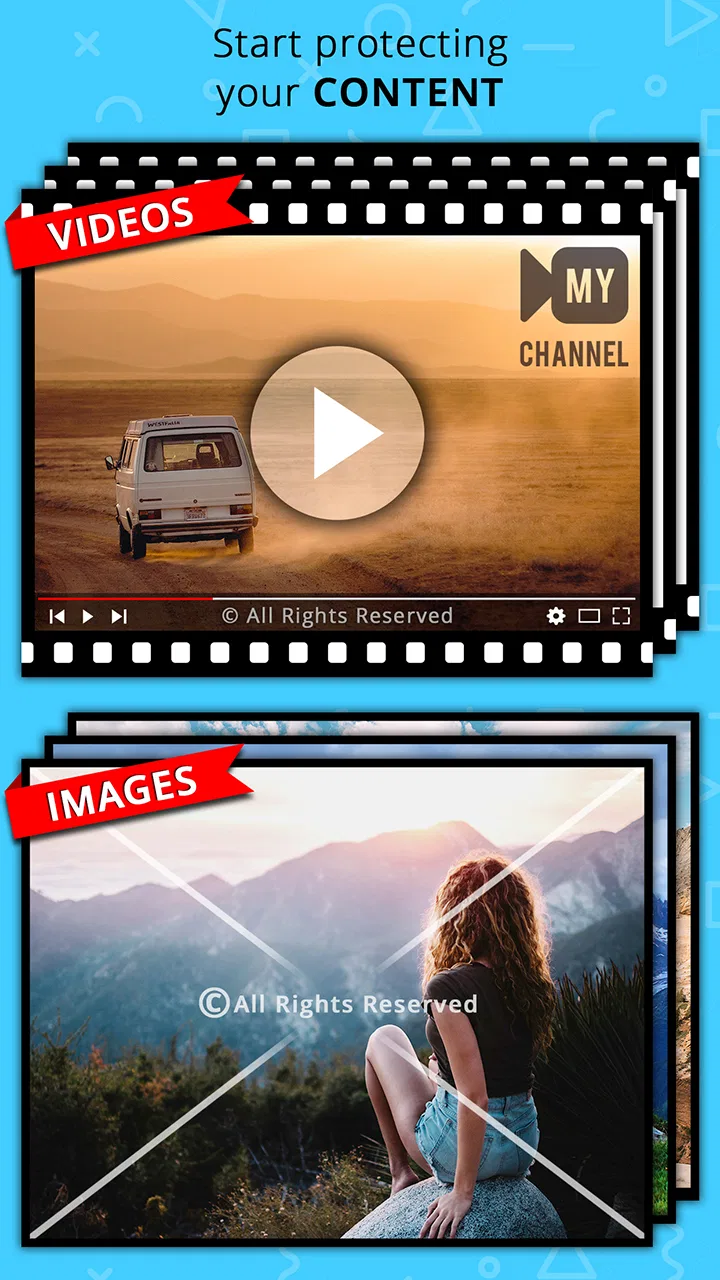
Z's Watermark Photos & Videos
- 4.5
- Rating
- 500.00K
- Installs
- Free
- Price

 Analysis by App-foxy
I usually notice a watermark only when it is distracting, missing, or difficult to recreate consistently. That is why I approached Z's Watermark Photos & Videos as a practical tool rather than something to open for entertainment. It is a free app in the video players and editors category from photoshop mobile apps, designed for adding reusable branding or ownership marks to photos and videos. After spending time with it, I found its main appeal quite clear: it turns a small but repetitive editing task into something more manageable.
The app has a 4.5 average from around 23 thousand ratings, and it has passed 500 thousand installs. Those figures suggest that it has found a useful niche, but they do not automatically make it the right choice for everyone. My experience is that its value depends on how often you publish visual content and how much control you want over the appearance of your watermark. If you watermark only one image every few months, a normal photo editor may be enough. If you regularly share work, product images, clips, or social posts, this app makes more sense.
What feels useful during the first week
The first thing I liked was the narrow focus. Instead of asking me to learn a complete editing suite, the app keeps attention on the watermark itself and on applying it to visual material. That makes the learning curve feel lighter than it would in a full video editor. Someone who already knows how to choose an image, create a text mark, or prepare a logo should be able to understand the basic workflow without studying a long manual.
You May Also Like

 Blood Strike: 2.5 Anniversary
Blood Strike’s Loadouts Turn Every Drop Into a Tactical Gamble
A close look at Blood Strike’s custom loadouts: how fast access to signature weapons reshapes its battle royale rhythm, rewards preparation, and narrows the gap between fights.

 Pandora - Music & Podcasts
Pandora’s Music Is Easy to Start, but Harder to Recover
Pandora’s strength is its low-effort path from a seed to a station. Its weak spot is how much confidence it asks you to place in connection, setup, and quiet recovery.

 8 Ball Pool
 Is Built on Rivalries, Rematches, and Routine
A close look at the rivalries, rematches, shared routines, and unanswered safety questions that turn a quick pool match into a persistent mobile community.

 Samsung Music
’s Quiet Strength Is Playing What You Already Own
Its reach comes less from spectacle than from dependable access to a personal library. That simplicity is both the app’s strongest retention engine and its ceiling.

 AccuWeather: Weather Radar
AccuWeather Review: A Quick, Clear Forecast for Everyday Decisions
For everyday plans, the best forecast is the one you can understand quickly. AccuWeather makes rain timing, radar, and local conditions easy to act on, with a few trade-offs.

 Hill Climb Racing
Why Hill Climb Racing Still Turns Crashes Into One More Run
A tiny car, a bumpy hill and one more upgrade: Hill Climb Racing keeps resurfacing because its simple chaos makes every near-miss feel personal.
More From Our News Desk
View All News


That simplicity is especially helpful when the goal is not artistic editing but consistency. A watermark can contain a name, a business identity, a contact detail, or a simple ownership notice. The important part is not merely placing it somewhere on the screen. It needs to remain readable without overpowering the original image. I found that the ability to customize the mark matters more than decorative effects because a subtle, repeatable design usually looks more professional than a different treatment on every file.
A realistic everyday example is a small online seller photographing several handmade items before posting them. Without a dedicated workflow, the seller may open a general editor, type the business name, resize it, move it away from the product, and repeat the whole process for every picture. A watermark-focused app reduces that mental switching. The seller can concentrate on keeping the mark in a safe area, checking whether it covers important details, and preparing the images for publication.
Video is where the decision becomes more interesting. A watermark that looks fine on a still image can become annoying in motion, especially when the background changes from light to dark. I would not apply the same placement blindly to every clip. I would first test it on a short representative video, watch the opening, middle, and ending, and then decide whether the size and position remain comfortable. That small habit prevents a mark from becoming the most noticeable part of the finished content.
The app is rated for Everyone, which makes its purpose approachable for a broad audience. I can see it being useful for students sharing school projects, hobby photographers posting their work, creators protecting previews, and small businesses preparing branded media. It is not limited to one professional field, but its usefulness is still practical rather than universal. People who never publish images or videos will have little reason to keep it installed.
Customization is more important than decoration
When I evaluate a watermarking tool, I look for control over the details that affect readability: wording, placement, scale, and visual balance. The store summary emphasizes fully customizable watermarks, and that is the central reason to choose this app instead of simply stamping a fixed label onto everything. Customization gives you room to create a mark that fits a portrait, a landscape photo, and a video without treating all three formats as identical.
One useful approach is to create a restrained version for photographs and a slightly more visible version for moving footage. A photo may remain on screen long enough for a viewer to recognize a faint mark, while a video can move quickly and change contrast. I would also avoid placing the mark directly over faces, product labels, or the main subject. A corner is not always safe, because social platforms and video players may cover parts of the frame with interface elements. Testing different placements on the actual destination platform is more reliable than assuming one position works everywhere.
Another non-obvious trade-off is transparency. A very opaque watermark is easier to notice and harder to remove, but it can make an otherwise attractive image feel like an advertisement. A very faint watermark looks cleaner, yet it may disappear against a busy background. I prefer a middle ground and adjust it based on the purpose. A private preview may need stronger ownership marking; a polished portfolio image may benefit from something quieter.
The first week is also when the app feels most rewarding because the result is immediate. You can see the difference between an unmarked file and one that carries a consistent identity. That quick feedback creates the impression that the app will become a permanent part of the editing routine. Whether it does depends on what happens after the initial setup.
Does it keep earning space month after month?
For me, long-term value comes from repetition. A watermarking app earns a place on a phone when it removes enough recurring effort to justify opening it again. If I publish images every week, prepare regular short videos, or send branded previews to clients, that repeated need is real. Each use may be small, but avoiding the same manual steps across many files adds up in attention and consistency.
The strongest recurring use case is a content workflow where branding changes less often than the media itself. A photographer might keep a personal signature stable while processing new galleries. A local shop might use the same business name across product pictures. A creator might mark draft clips before sharing them with collaborators. In these situations, a dedicated watermark tool is easier to remember than rebuilding the same design inside a general editor.
It is also useful as a final checkpoint. I would complete the main crop and color adjustments elsewhere if needed, then apply the watermark near the end. This avoids accidentally placing the mark on an image that will later be cropped or reframed. For video, I would export or prepare the content first, then inspect how the mark behaves on the finished aspect ratio. That workflow is less glamorous than adding a watermark at the beginning, but it prevents the logo or text from ending up too close to an edge.
Still, the app is not automatically better than the usual alternatives in the category. Many general photo editors already include text, stickers, logos, or export tools. A full video editor may offer more precise control over where an overlay appears and how it behaves during a timeline. If you need animated branding, multiple layers, detailed keyframing, color grading, captions, and audio work in the same project, a specialized watermark app will feel limited beside a complete editor.
Its advantage is narrower: it keeps watermarking from becoming a forgotten step. A general editor may technically do the job, but the feature can be buried among many unrelated controls. Here, the focused purpose makes sense for someone whose main problem is applying a recognizable mark quickly and repeatedly. I would choose this app for a straightforward branding workflow, not as a replacement for a serious editing workstation.
Where the maintenance begins
The hidden cost of watermarking is not usually the first application of the mark. It is maintaining a design that still looks appropriate as your content changes. A watermark created for square product photos may look awkward on vertical videos. A business name may change. A logo may be redesigned. A mark that looked tasteful on a light background may become unreadable on darker footage. The app can help with customization, but it cannot decide your visual rules for you.
I recommend keeping a simple internal standard: choose one or two preferred positions, decide how prominent the mark should be, and use the same wording every time unless there is a clear reason to change it. This reduces the temptation to redesign the watermark during every editing session. Consistency is one of the main benefits of using a dedicated tool, so constantly changing the style weakens the reason for having a routine.
There is another maintenance issue that is easy to overlook: original files. I would keep an unwatermarked copy of important photos and videos before creating the marked versions. That gives you flexibility if you later need a clean image for printing, a different platform, or a revised brand identity. Watermarking should be treated as a publishing step, not as a replacement for the source material.
Storage habits matter too. If you create several versions of the same clip, it becomes easy to confuse the clean file, the marked file, and a compressed copy. Naming them clearly and checking the final result before sharing saves more time than repeatedly correcting a mistaken upload. This is not a special feature of the app, but it is essential to getting lasting value from it.
The current version is 2.7, and the app supports Android 7.0 and later. That broad compatibility is helpful for people using older devices, although the experience will naturally depend on the phone and on the size or complexity of the media being processed. I would be particularly careful with long or high-resolution videos on a modest device, because editing tasks can become less comfortable when the phone has limited room for previews or processing.
What may cause fatigue over time
The first source of fatigue is repetition without a saved routine. If every session requires rebuilding the same watermark from the beginning, the app may stop feeling like a shortcut. Before committing to it, I would test the exact workflow I expect to use regularly: select a photo, customize the mark, position it, inspect the result, and save or share it. The fewer decisions required after the initial setup, the more likely the habit is to survive.
A second source is visual inconsistency. Applying a watermark is easy; applying it well across different formats is harder. A mark can be too large on a portrait, too small on a landscape, or placed where platform controls cover it. I would rather spend a few minutes creating sensible variations than force one design onto every file. If the app makes that variation cumbersome, a more advanced editor may be the better long-term home for a professional content library.
Purchases are another consideration. The app is free to use, with in-app items ranging from $2.99 to $7.99. That does not make it expensive by itself, but I would avoid paying immediately just because the first session feels convenient. I would first confirm that the app fits my real publishing frequency and that its customization options match my needs. Occasional users may get enough value from the free experience, while frequent users can judge whether the paid items remove a genuine obstacle rather than merely adding novelty.
I also would not choose it for people who need a complete production environment. If your work depends on precise video timelines, animated overlays, advanced sound editing, collaborative review, or detailed export control, a full editor is likely to remain open more often. The focused design that helps a casual publisher can feel restrictive to someone who wants every part of the project in one place.
On the other hand, avoiding a general editor can itself be a benefit. A beginner may feel overwhelmed by a timeline, layers, and dozens of unrelated tools when all they want is a readable name on a clip. In that situation, the narrower workflow is less intimidating. The right choice depends on whether watermarking is the main task or just one small part of a much larger editing job.
Who should keep it installed?
I would recommend it to people who publish visual material often enough to notice repeated branding work. That includes independent sellers, small service providers, hobby photographers, event organizers, and creators who share previews before releasing final files. It is also a sensible option for someone who wants a recognizable mark without learning a complex editor.
I would be more cautious if you rarely watermark anything, require highly animated branding, or already have a reliable workflow in another editing app. Installing another tool only makes sense when it saves real effort. Otherwise, the extra app can become part of the maintenance problem: another interface to remember, another place to look for exported files, and another step in a process that was already manageable.
Before using it for a large batch, I would run a small test with different media types. Try a bright photo, a dark photo, a portrait-oriented image, and a short video with changing backgrounds. Check whether the watermark stays readable, whether it covers important details, and whether the finished files look appropriate for the platform where you intend to share them. This test gives a much better answer than judging the app from one attractive example.
Privacy and ownership also deserve practical attention. A watermark can discourage casual reuse, identify the creator, or make a preview less useful to someone who receives it without permission. It is not a perfect protection system, and I would never treat a visible mark as a substitute for keeping original files or choosing carefully where high-quality media is shared. Its main strength is communication and consistency, not absolute security.
My long-term verdict
After the novelty fades, Z's Watermark Photos & Videos remains useful when watermarking is a recurring part of your routine. Its focused purpose, customizable approach, free starting point, and support for both photos and videos make it more practical than a generic editor for this one job. I especially like it for small publishing workflows where the goal is to apply a clear, repeatable identity without opening a complicated production suite.
Its lasting value is not in adding excitement to editing. It is in removing a small source of friction. That benefit becomes visible over weeks of publishing rather than during one impressive first session. If you establish sensible placement rules, keep clean originals, test the mark on different formats, and avoid changing the design unnecessarily, the app can become a dependable final step.
The limitations are equally clear. It is not the best choice for advanced video production, elaborate animated branding, or users who already have watermarking integrated into a broader professional workflow. The in-app purchases also mean that frequent users should decide carefully whether the extra options justify spending money. For occasional use, a normal editor may remain simpler because it avoids adding another app to the process.
My recommendation is therefore practical rather than universal: install it if you regularly share photos or videos and want watermarking to feel like a separate, repeatable task. Skip it if you need a full editing studio or only mark a file once in a while. For the right user, its recurring value comes from habit, not novelty. Once the watermark style is settled and the workflow is familiar, it can quietly earn its place on an Android phone for the long term.
FAQs for Z's Watermark Photos & Videos
01What is Z's Watermark Photos & Videos used for?
Z's Watermark Photos & Videos is designed to help you add visible branding or ownership information to your photos and videos. You can typically use it to place text, logos, signatures, or other watermark elements over your media before sharing it online. It may be useful for photographers, creators, small businesses, and anyone who wants to discourage unauthorized reuse of their work.
02Can I customize the watermark before exporting my photos or videos?
The app is intended to provide customization options for watermark placement and appearance. Depending on the editing tool available in the version you install, you may be able to adjust text, font, color, transparency, size, and position, or import a logo from your device. It is worth checking the available controls, supported file formats, and preview quality before processing a large batch of media.
03Does Z's Watermark Photos & Videos support both photos and videos?
Yes, the application is specifically presented as a tool for watermarking photos and videos, making it more versatile than an editor limited to still images. However, video processing can require more storage, battery power, and processing time than photo editing. Results may also depend on the original resolution, video length, device performance, and the export settings offered by the app.
04Will adding a watermark reduce the quality of my media?
Watermarking can affect quality if the app compresses the original file during export or limits the available resolution. Before saving your final version, review the export settings for image quality, video resolution, and file format. Keeping an untouched copy of the original media is recommended, especially when the files are intended for professional use, printing, archiving, or later editing.
05Is Z's Watermark Photos & Videos free to download and use?
The download may be free, but some features can depend on the app's current business model, including advertisements, in-app purchases, premium watermark styles, batch processing, or restrictions on export quality. Pricing and included tools can change between updates and may differ between Android and iOS. Check the official store listing carefully before downloading or subscribing.
Pros
- Adds watermarks to photos and videos in just a few taps.
- Supports custom text
- logos
- and branding elements.
- Offers adjustable watermark size
- position
- and transparency.
- Useful for protecting original content before sharing online.
- Batch processing can save time when branding multiple files.
Cons
- Some advanced tools may require a premium subscription.
- Watermarks can be difficult to position precisely on small screens.
- Exported videos may take longer to process on older devices.
- Large batches can consume considerable storage and processing power.
- The free version may include ads or limitations on export options.

Z's Watermark Photos & Videos
Gallery